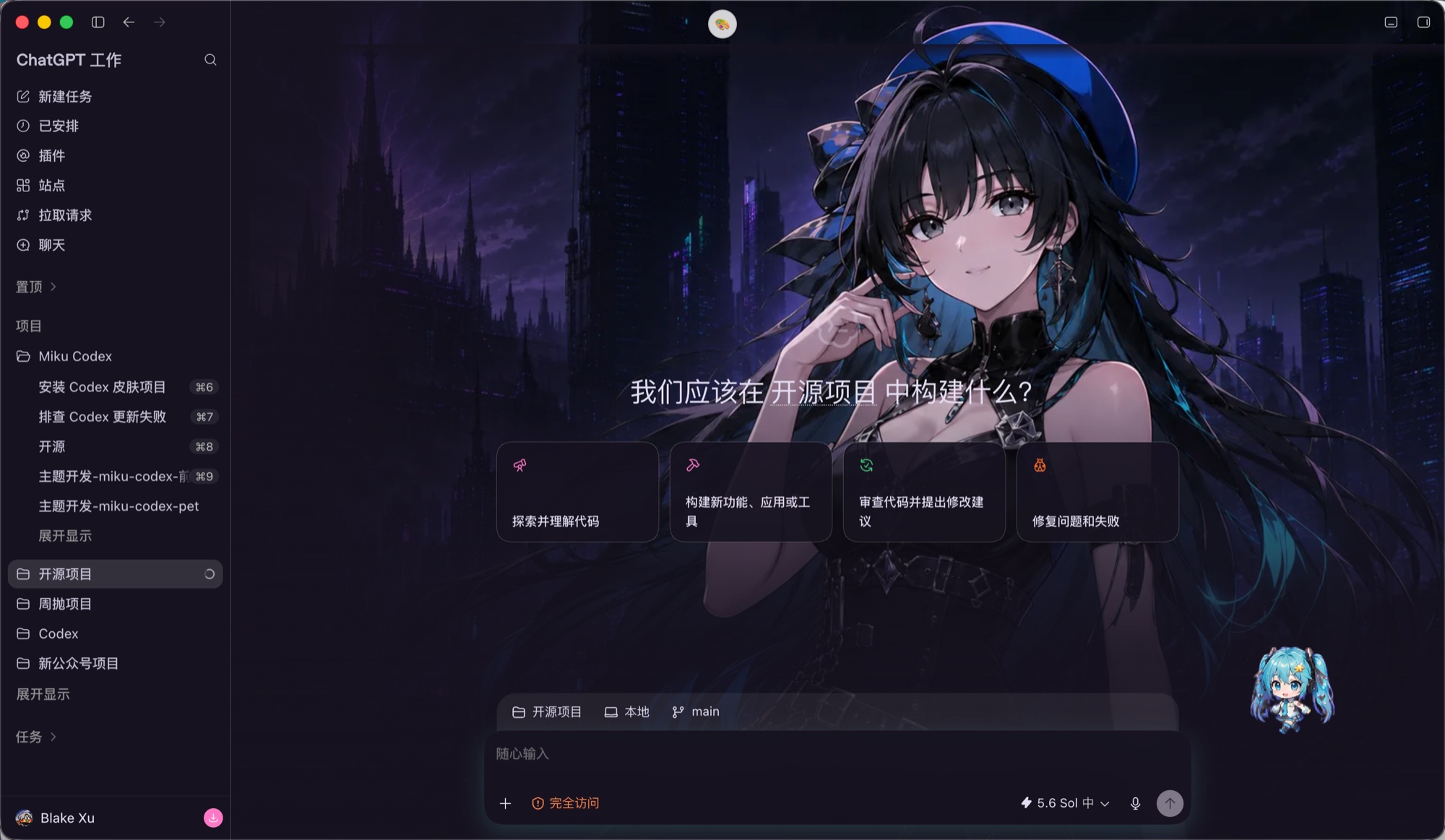
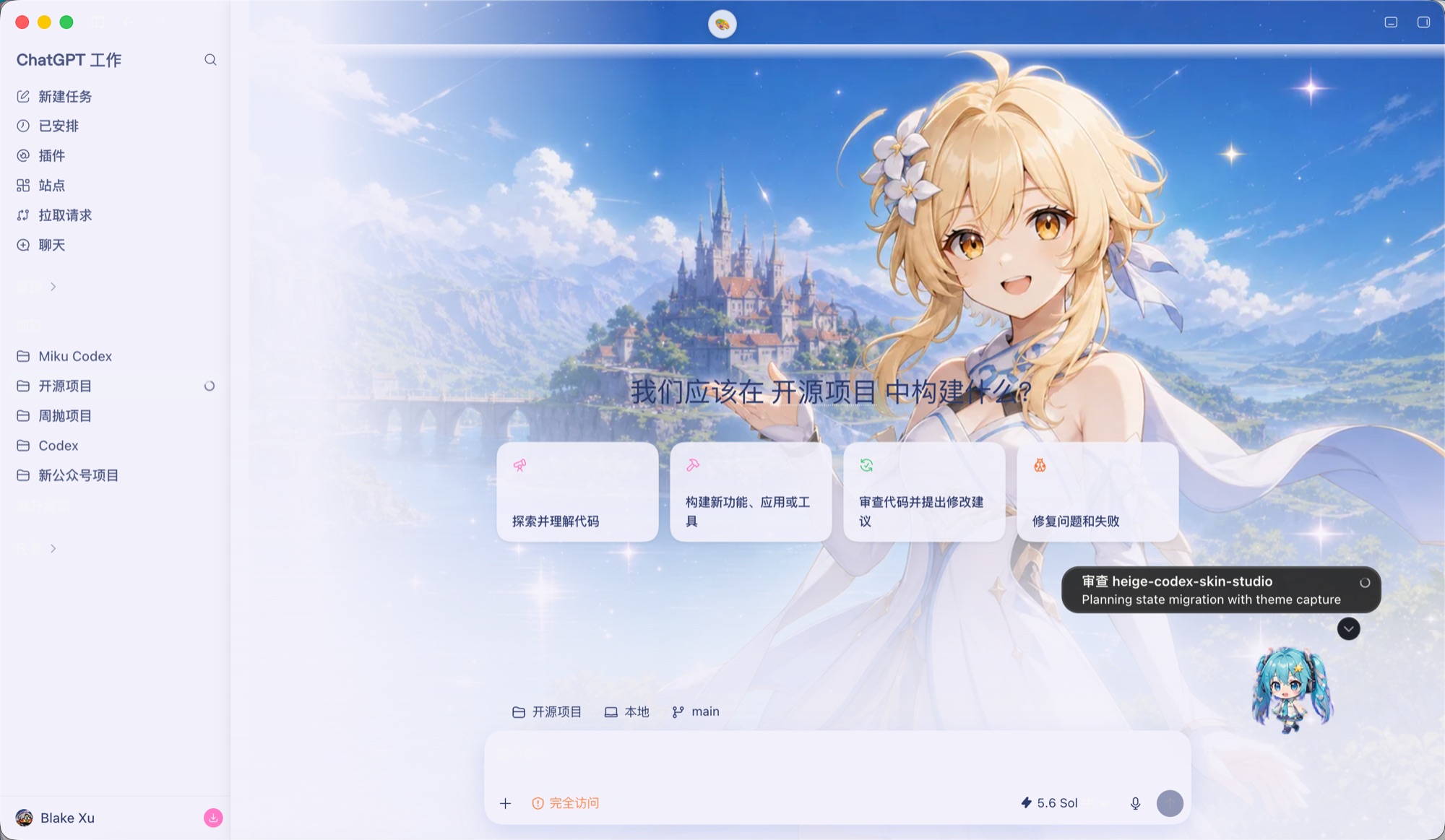
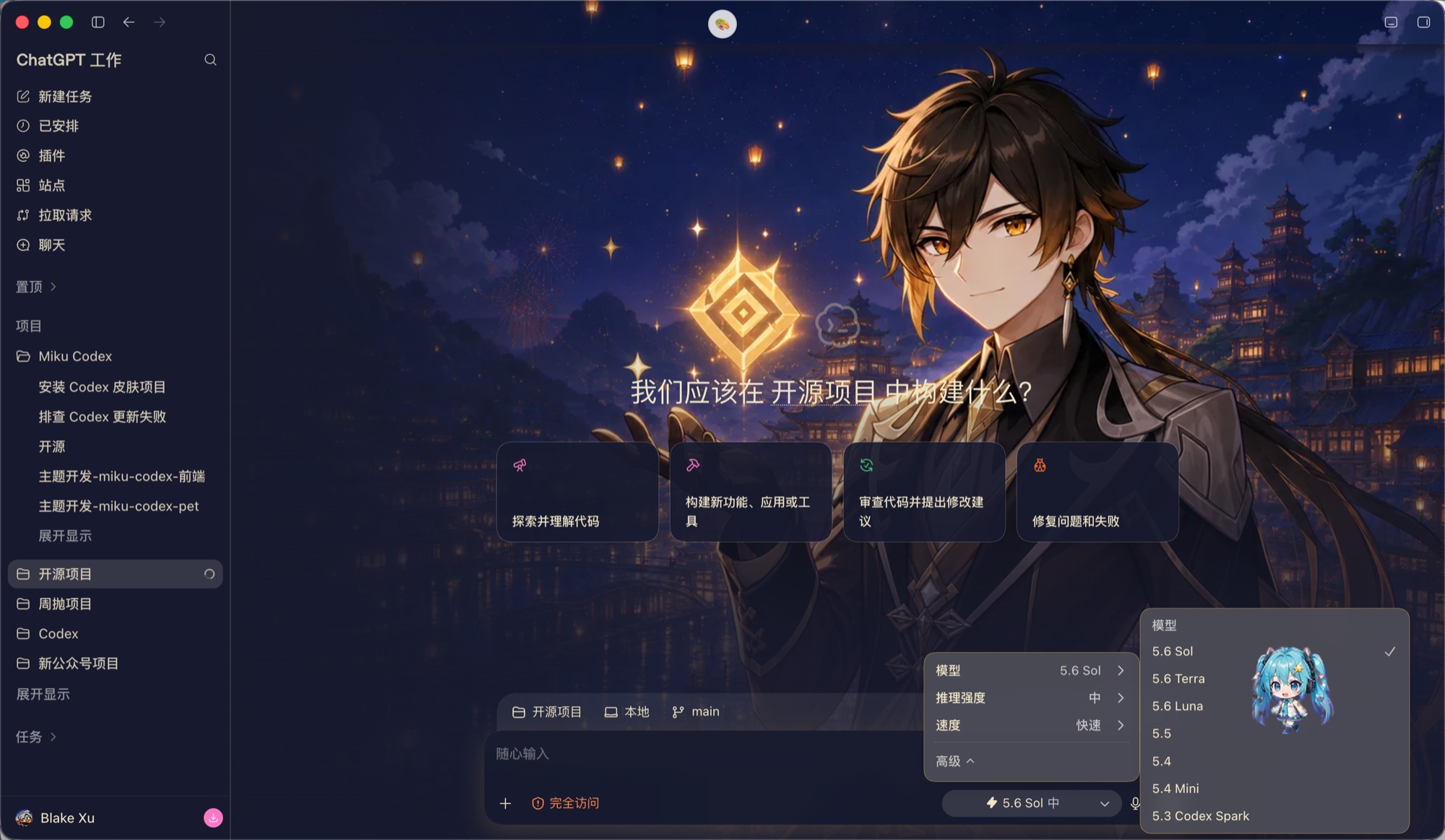

Preview the real tradeoffs
Compare the original interface with your skin, then tune wallpaper opacity, panel transparency, blur, radius, and accent color against a working Codex-style conversation.
 Codex Skin
Create a custom theme for Codex Desktop with your own background, readable glass panels, restrained colors, and native controls. Preview every choice online before anything reaches your Mac.
The interactive Codex Skin preview maps each control to a limited theme token. Backgrounds and surfaces can change while native buttons, focus states, and destructive actions remain protected.
npx -y @getcodexskin/cli apply theme_previewCodex Skin is an independent browser-based theme studio for Codex Desktop on macOS. It combines curated visual presets, a live editor, and a reversible local installer so people can personalize backgrounds, surfaces, colors, and type without writing CSS or changing the official application bundle.
The goal is not to turn Codex into a noisy gaming dashboard. It is to make a workspace you may keep open for hours feel personal while preserving legibility, familiar controls, keyboard behavior, and system feedback. The editor therefore treats a theme as a small set of controlled design choices rather than arbitrary executable code.
Compare the original interface with your skin, then tune wallpaper opacity, panel transparency, blur, radius, and accent color against a working Codex-style conversation.
Preserve send, microphone, settings, destructive, disabled, hover, and focus semantics by default. A beautiful theme should never make the app harder to understand.
Themes stay in separate local storage, use signed packages, and include compatibility checks plus a restore command that returns Codex to its official appearance.
Choose an image you like, then adjust the transparency, colors, and glass effect while you preview the result.
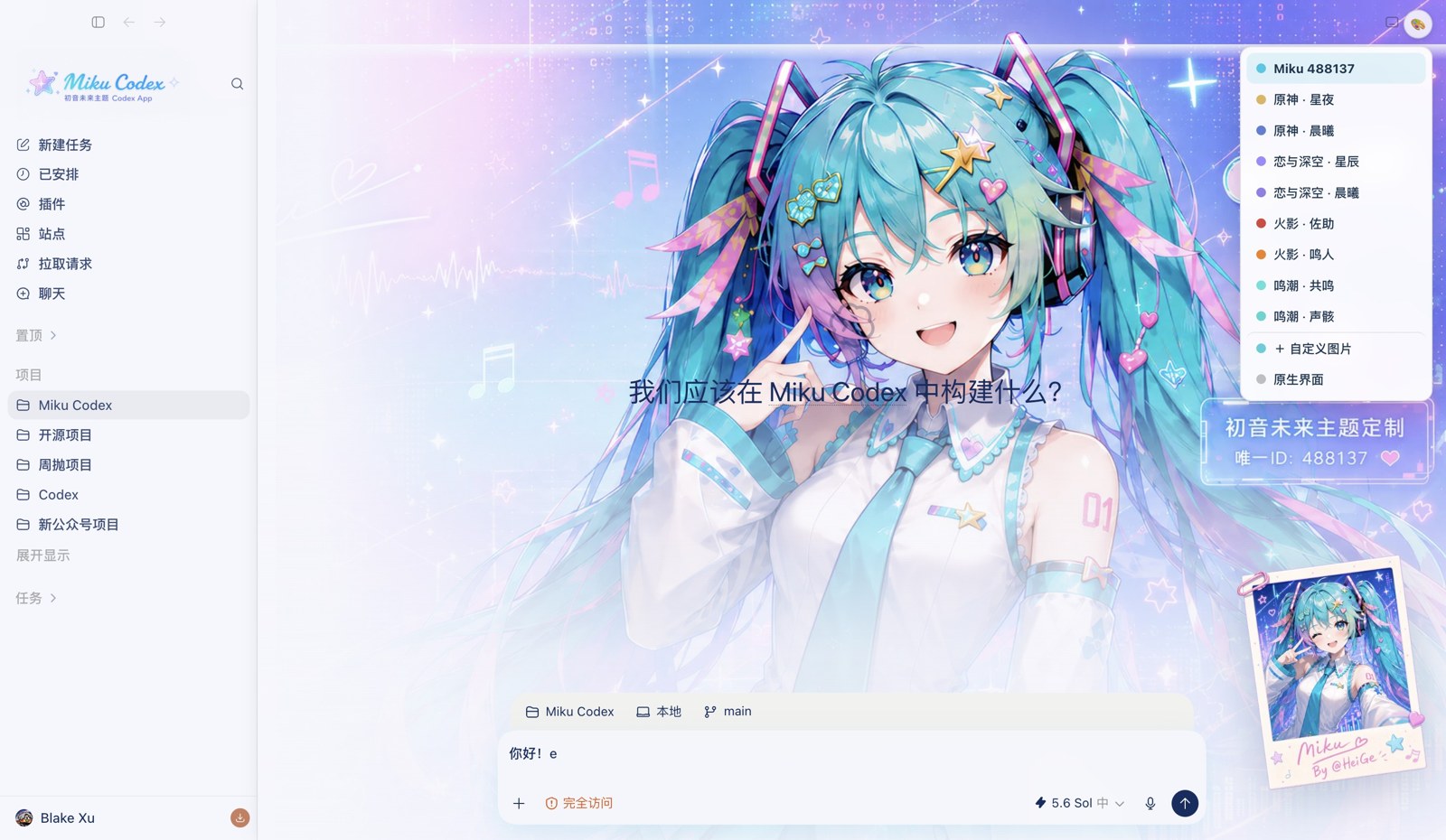 Live theme
 Theme artwork
Live screenshots and theme artwork are shown with attribution to the open-source HeiGe Codex Skin Studio project. Character names and visual assets remain the property of their respective rights holders and are not covered by this site's software license.
Choose a preset below to load its palette into the live studio.
Create and apply your own Codex look in four simple steps. Choose a preset or upload an image, tune the details, then run the generated command on your Mac.
Open the studio, select a preset background, or upload your own JPG, PNG, or WebP image. The Codex preview updates as you work.
Adjust the background, panels, blur, opacity, accent colors, typography, and other controls until the theme feels right.
Click “Save theme & open Codex”. Codex Skin creates the theme package, copies a fallback command, and opens Codex to apply it.
Paste the command into Codex and approve local execution. The installer verifies and applies the theme, with a restore path back to the official appearance.
Preset themes are free to preview. Share once to unlock custom-image themes, or purchase lifetime access for $19.90.
Codex Skin only changes how Codex looks. It is not a replacement app, and it does not read your conversations, project files, API keys, or payment details.
If a Codex update changes the interface, the installer stops safely and restores the official appearance. You can use the theme again after compatibility is updated.
Clear answers about installing and using Codex Skin on macOS.
Codex Skin is an independent visual theme studio for Codex Desktop. It lets you preview curated themes or turn your own image into a controlled theme configuration for backgrounds, surfaces, colors, type, blur, and corner radius.
No. Codex Skin is an independent product and is not affiliated with, endorsed by, or maintained by OpenAI. Codex and OpenAI are trademarks of their respective owner.
Codex Skin is designed for Codex Desktop on macOS, including Apple Silicon and Intel Macs. The installer keeps the experience focused on a reliable Mac workflow.
No. The installer keeps themes and state in a separate user directory and does not patch the official app bundle or its code signature. Theme packages contain controlled configuration and assets, not arbitrary JavaScript.
Yes. The studio accepts JPG, PNG, and WebP images and lets you test opacity, panel transparency, blur, radius, and accent choices. Images stay local while you preview; saving uploads a processed WebP to private theme storage for signed delivery.
Preset and uploaded-image themes are free to install after saving. Paste the command into Codex and approve local execution; the installer verifies, downloads, applies, and checks the signed theme package.
Yes. Run npx -y @getcodexskin/cli restore. It disables reinjection, removes active theme styling, restarts Codex normally, and keeps downloaded themes available for later use.
Routine restarts trigger a structure check and reapply the active theme. If an update changes the interface structure, the installer pauses safely and returns to the official appearance until compatibility is restored.
Open the studio, choose a preset or upload an image, then edit and apply your theme directly from the workspace.